

Gauth: AI Study Companion review
 Analysis by GetAllApps
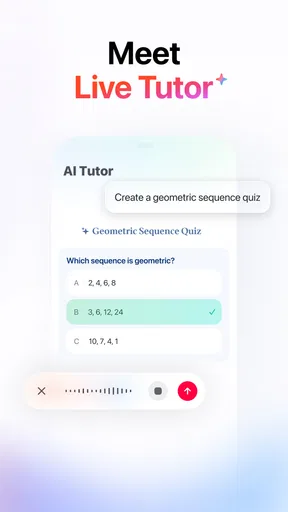
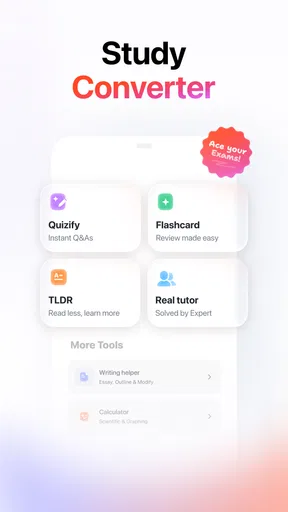
I see Gauth as a study helper for the moment when a homework problem stops making sense and searching through a textbook feels too slow. It is an education app from GauthTech Pte. Ltd., built around asking questions and getting help with answers. That makes it appealing to students who want a quick way to get unstuck, but it is worth treating the response as a starting point for learning rather than a substitute for doing the work yourself.
In my view, the most useful way to judge an AI study app is not just by whether it produces an answer. The real test is whether it helps you see the reasoning, catch a misunderstanding, and return to the original problem with more confidence. Gauth can fit that role, especially for a student working alone, though its usefulness still depends on how clearly the question is presented and how carefully the response is checked.
Getting unstuck without skipping the learning
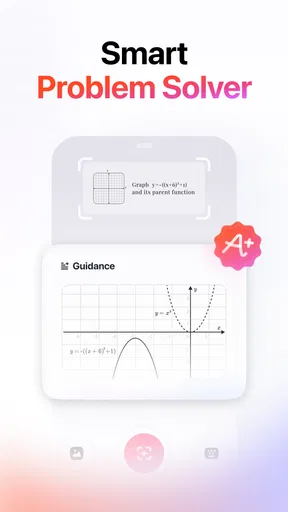
A common point of friction with question-answering tools is knowing what to ask. A vague prompt can lead to a vague answer, while a problem copied without its diagram, instructions, or surrounding context may be difficult to interpret. With Gauth, I would start by entering the exact question and keeping its wording intact. If the task depends on a figure or a particular method, include that context where the app allows it instead of assuming the question is self-explanatory.
The app’s appeal is its directness: you arrive with a question rather than needing to browse lessons before finding the relevant topic. That can be useful during homework, revision, or a quick check after class. But a fast response is not automatically a good explanation. If you only look at the final result, you may finish the exercise without learning why that result follows.
My practical advice is to ask yourself what step you do not understand before requesting help. For example, identify whether the trouble is choosing a formula, interpreting a word problem, or simplifying an expression. Then compare the explanation with your own attempt. The best use is to diagnose a gap in your thinking, not to replace the thinking altogether.
This distinction matters most when a problem has several valid approaches or when a teacher expects a specific method. An answer can appear reasonable and still fail to match the lesson’s approach. I would use Gauth to clarify a concept or check a line of reasoning, then make sure I can reproduce the method independently before relying on it for study.
Why a clear question often matters more than a quick one
When the answer seems off, first check the question you submitted. Small omissions can change the task: a negative sign, a unit, a condition such as “show your working,” or a sentence that defines a variable. Re-entering the problem carefully is a more useful first move than repeatedly sending the same incomplete prompt and hoping for a different result.
There is also a difference between asking for an answer and asking for help with a step. If you are stuck halfway through, describe what you have tried and where your reasoning breaks down. That gives the response a better chance of addressing the actual obstacle. I would avoid treating any AI-generated explanation as a final authority, particularly when a result conflicts with a textbook, teacher, or trusted class notes.
Setup checks that prevent avoidable frustration
Before relying on the app for a study session, check that it installs and opens properly on your device. Gauth is free to download, has an Everyone age rating, and its current version is 2.10.0; it requires Android 8.0 or later. Those details make it sensible to check your operating system before troubleshooting a problem that is really a compatibility issue.
If a question does not go through, take a moment to check the ordinary basics: whether the app is responsive, whether your connection is working, and whether the text you entered is complete. Close and reopen the app if it appears stuck, then try a short, clearly worded question. These are simple checks rather than guarantees, but they help separate a temporary hiccup from a misunderstanding about how to ask.
It is also sensible to look at the purchase screen carefully before confirming anything. The app is free, while in-app purchases are listed at prices ranging from $0.49 to $369.99 per item. That wide range is a reason to pause and read the specific offer shown in the app rather than assume every feature or option is included at no cost. I would not enter a payment decision in a hurry, especially on a shared family device.
Gauth has a 4.8 average from 2.2 million ratings, alongside 37,000 reviews and over 100 million installs. Those figures suggest that many people have tried it, but popularity cannot tell you whether a particular explanation suits your course or level. I would use other students’ enthusiasm as a reason to explore the app, not as proof that every response will be right for every assignment.
Recovering a study session when an answer misses the point
If the response does not address what you meant, do not keep rephrasing randomly. Separate the problem into smaller pieces: state the subject, include the exact instruction, and ask about one point at a time. For a multi-step exercise, you can first ask about the principle involved, then check how that principle applies to the numbers or facts in your question. This approach makes it easier to spot whether the difficulty lies in the concept or in the wording.
A useful recovery habit is to keep your own working visible. Write down the step you believe is correct, compare it with the explanation, and mark the first point where they diverge. If the app’s answer differs from your class method, look for a missing condition or a calculation mistake before deciding which one is wrong. That small comparison turns a passive answer into a focused revision exercise.
For a busy evening, I would use Gauth in short rounds rather than hand over an entire worksheet. Try a problem yourself, consult the app only when you hit a specific obstacle, and then solve a similar question without help. This workflow is more likely to reveal whether you understood the explanation. It also limits the temptation to collect answers without remembering the ideas behind them.
One non-obvious trade-off is that speed can make checking feel unnecessary. When an answer arrives quickly, it is easy to move on before noticing that a key step was skipped or that the response interpreted the question differently. I would build a final check into each session: verify the result against the original instructions and make sure you could explain the method aloud or on paper.
When the app may not be the real problem
Sometimes the obstacle is not the app or the question but the way the assignment is framed. A teacher may want a particular technique, a class may use its own notation, or a textbook may define terms in a specific way. In those cases, a general explanation can be helpful background but still not be the answer your course expects. Your notes and teacher’s directions should take priority when they specify a required method.
There are also tasks where a direct answer is not the best support. If you need ongoing feedback on a long essay, a structured course plan, or a patient conversation about a concept you have struggled with for weeks, a question-and-answer app may feel too transactional. A teacher, tutor, study group, or subject-specific learning resource can offer continuity and follow-up that a quick response may not provide.
Likewise, if you already understand the material and mainly need a quiet space to organize a study schedule, Gauth may not be the tool you reach for first. A notebook or calendar can be simpler for planning, while a textbook is better when you want a complete, carefully ordered explanation of a topic. The app is most compelling when you have a concrete question and need help moving past a specific sticking point.
Who will get the most from it
I would recommend Gauth to students who are comfortable checking answers and want an on-demand companion for homework questions. It can be especially useful when studying alone, reviewing after a lesson, or trying to identify the next step in a problem before asking someone else. Parents helping with schoolwork may also find it useful as a prompt for discussion, provided they review the explanation rather than simply copying the result.
I would be more cautious about recommending it to someone who wants every task completed for them, or who finds it difficult to judge whether an explanation is sound. It is also not my first choice for learners who need a consistent human tutor or a full curriculum with lessons arranged from basics to advanced material. Those needs call for more guided support than a fast answer can reliably provide.
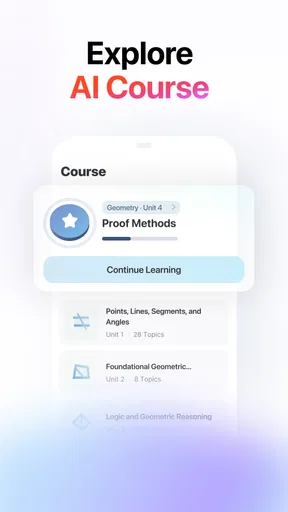
Compared with searching the web, Gauth offers a more direct route from a specific question to help with that question, while a search engine may surface multiple sources that require extra filtering. Compared with a textbook, the app is more convenient for a narrow point but less suited to building a complete understanding in a planned sequence. Compared with asking a teacher, it is available as a self-study option, but it cannot replace the teacher’s knowledge of your course expectations.
My practical verdict
Gauth is worth trying if you want a free education app that can help you tackle questions as they arise. I like the idea of having a quick study aid available without turning every small confusion into a long search. Its broad adoption and strong average rating are encouraging, but I would still judge it by the quality of the help I get on my own subjects and by whether I can explain the answer afterward.
The version available now is 2.10.0, and the app was released on March 31, 2021. Those details help identify the product, but the decision to use it should come down to your study habits: do you want a tool for getting past a specific hurdle, or do you need a structured teacher-led course? For the first need, Gauth makes sense. For the second, I would choose a more guided option and keep this app as a supplementary resource.
My recommendation is to test it with a real question you have already attempted, then use the response to find the exact step you need to review. If it helps you understand that step, keep it in your study routine. If you find yourself copying answers, struggling to verify them, or needing explanations tied closely to your class, choose another form of support. Used thoughtfully, Gauth can be a practical companion; used as an answer shortcut, it is much less valuable.
Pros and cons
Pros
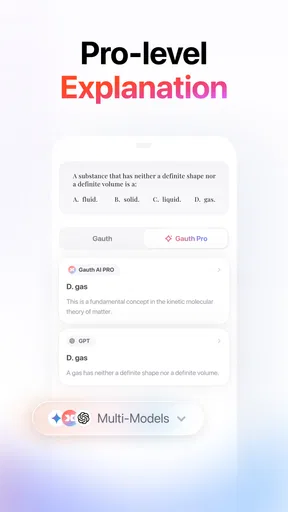
- Explains answers in clear steps that can support learning.
- Photo-based question input makes it easy to get help with worksheets.
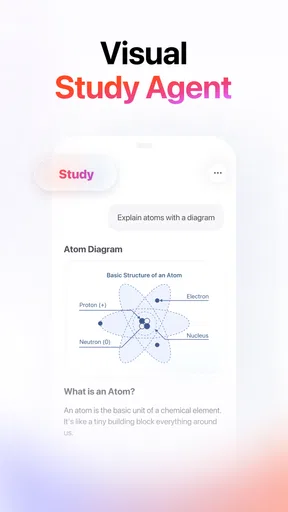
- Supports several school subjects in one app.
- Follow-up questions let students explore a solution further.
- Useful for reviewing problems outside classroom hours.
Cons
- AI explanations can sometimes be inaccurate or incomplete.
- Some features may require a paid subscription.
- Photo recognition may struggle with unclear handwriting.
- Frequent use can discourage solving problems independently.
- Availability of tutors may vary by subject and time.


